Workflow Automation Software

Can I use all the test elements of Ansur ProSim Plug-In inside a step?

a) Step can have following test elements under it
i. Any one test element from the ECG Simulation Test group
ii. Respiration Simulation Test
iii. Temperature Simulation Test
iv. Any one of IBP Dynamic Simulation or IBP Static pressure test from the IBP Simulation Test
group
&nnbsp;v. Only NIBP Dynamic Simulation test from the NIBP Test group
vi. SpO2 test
b) If you include test elements other than the above, Ansur displays a message box and discards those test elements

Does the INCU II have Ansur?

INCU II has a mini Ansur plug-in not a full Ansur plug in. The mini Ansur plug-in is what provides the interaction between your personal computer and the INCU II device to allow test results to be transferred to your computer. The INCU II does NOT have full Ansur compatibility, but the "Create a Test Group" option and Excel Add-In allow you to standardize your workflow and create a report specific to your needs.

How can I export data directly from INCU to Microsoft EXCEL?

Although the INCU PC software wasn't originally designed to export data directly to EXCEL, this option does exist. The INCU Operator's Manual, Appendix C, contains the data file format for exporting INCU data to a database. Converting the saved INCU data file to a semicolon delimited file will help in importing the data into EXCEL. The process may take several steps.

INCU data format:

How does the Ansur plug-in work?

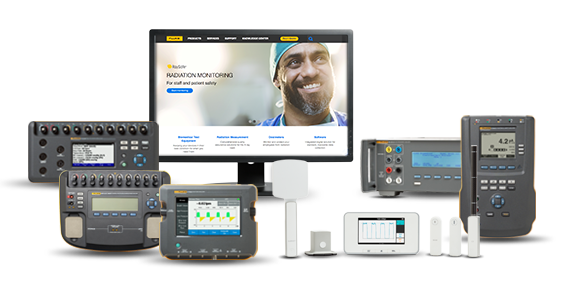
When combined with the high-end functionality improvements of the Ansur test automation system, your Fluke Biomedical analyzer provides a solution-based approach to complete analysis of the medical device under test. Fluke Biomedical test equipment with Ansur automation solutions create standard work using test templates/sequences based on customer's written test procedures, manage test procedures by allowing both manual and visual automated test sequences, and integrates all test results into a single test report, which can be printed or archived. Biphasic Monophasic

What does the Ansur plug-in do?

When combined with the high-end functionality improvements of the Ansur test automation system, your Fluke Biomedical analyzer provides a solution-based approach to complete analysis of the medical device under test. Fluke Biomedical test equipment with Ansur automation solutions create standard work using test templates/sequences based on customer's written test procedures, manage test procedures by allowing both manual and visual automated test sequences, and integrates all test results into a single test report, which can be printed or archived.

Why doesn't my IDA 4 Plus seem to be communicating with the Hydrograph for Windows, version 2.05?

Your IDA 4 Plus requires Firmware Version 2.10 to work properly with Hydrograph for Windows, Version 2.05. The required firmware was included with Hydrograph for Windows, Version 2.05, along with installation instructions.

Hydrograph for Windows attempts to connect with your IDA 4 Plus when it is launched. Your IDA 4 Plus should be turned on and connected to your computer before Hydrograph is started.